
Dell Laptop & Desktop Repair Centre in London
Is your Dell computer experiencing hardware or software issues, or are you unsure of the fault? PC Fix London operates from Central London and specialises in Dell laptop repair and solutions. We also repair and upgrade Dell notebooks and PCs, including Dell tower PC boxes.
Our services are available to customers in London and across the UK. Our technicians are trained to find and fix a wide range of problems with Dell computers — from a broken hinge, damaged screen, or cracked casing, to screen lines, charging issues, and unresponsive systems. We also handle the Blue Screen of Death (BSOD), faulty keyboards or touchpads, virus and malware infections, black screens, hard drive failures, slow performance, frequent crashes, poor battery life, overheating, and motherboard faults. Prefer a different brand? We also repair Asus, HP, Lenovo and Acer laptops at the same workshop.
Click here to message us now !
Same-Day Dell Laptop Repair in London
PC Fix London provides same-day Dell laptop repair services in London. We focus on quickly diagnosing and fixing problems to reduce disruption to your work. Our technicians use genuine Dell components to ensure your laptop remains reliable and performs as it should.
Our goal is to offer same-day repairs wherever possible. However, factors like fault complexity or parts availability can occasionally cause delays — if that happens, we’ll keep you updated and communicate transparently about timing.
Dell Series We Commonly Repair

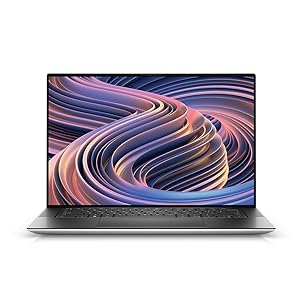

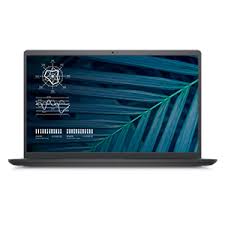
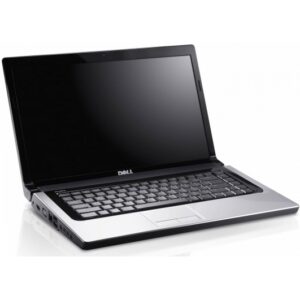
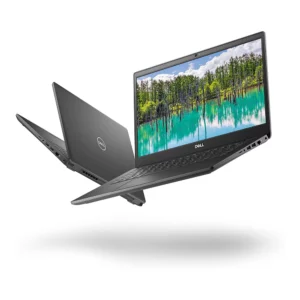
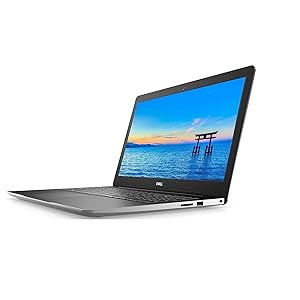

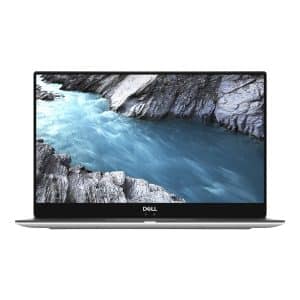
Dell Models We Support
We offer repair, replacement, and upgrade services for all models of Dell computers. This list isn’t exhaustive, but here are some of the common Dell models we service:
- Dell XPS Series
- Dell Alienware Series
- Dell Precision Series
- Dell Inspiron Series
- Dell Latitude Series
- Dell G Series (Gaming)
- Dell Chromebook Series
- Dell Inspiron Desktop Series
- Dell XPS Desktop Series
- Dell Alienware Desktop Series
- Dell OptiPlex Desktop Series
- Dell Precision Workstation Series
- Dell Vostro Desktop Series
- Dell Inspiron 16 Series
- Dell XPS 15 Series
- Dell XPS 13 Series
- Dell XPS 17
- Dell XPS 13 Plus / 2-in-1
Dell Repairs We Provide
We’re committed to same-day repair services, subject to parts availability and diagnostics.
- Dell laptop screen repair and replacement
- Dell laptop motherboard or logic board repair
- Dell laptop black screen issues
- Dell laptop touchpad not working
- Dell laptop overheating, dust build-up and general servicing
- Dell fan issues and thermal paste replacement
- Dell laptop water damage repair
- Dell laptop screen repair from physical damage
- Dell laptop battery replacement for batteries that don’t last long or aren’t recognised at all
- Dell AC power adapter “wattage cannot be determined” error repair
- Dell plugged in, not charging issue
- Dell laptop hinge or screen hinge not opening/closing properly
- Removal of malware, spyware, or viruses from Dell laptops
- Dell laptop DC power jack or charging port repair
- Graphics card or video issues
- Dell laptop RAM upgrade
- Data recovery or data transfer for Dell laptops
- Dell laptop touchpad / mouse pad repair or replacement
- Dell laptop backlight repair and replacement
- Hard drive / SSD upgrade to larger capacity
- Dell laptop keyboard repair and replacement
📞 Need a Fast Dell Repair? Call Now
Where We Start When Fixing the Fault
The fastest way to fix a problem is to bring your computer to our workshop. A technician will check the damage and note the symptoms. The first stage involves troubleshooting to identify the root cause of the issue — after that, we replace any faulty or damaged parts with high-quality original parts.
We’ve repaired over 4,500 Dell laptops for our customers so far. Our whole repair process is straightforward and easy, and we operate on a strict no fix, no fee basis — if we can’t fix it, you don’t pay.
Why Choose Us? Certified Technicians, No Fix No Fee & Original Parts
- Certified: Well-trained technicians with years of experience.
- Fast turnaround: Our whole repair process is straightforward, from drop-off to work completion.
- No Fix, No Fee: Total peace of mind — if we’re unable to fix your laptop, you won’t be charged.
- No appointment needed: Simply drop off your computer at the workshop during working hours.
- Original parts: We only use original parts, and all work is guaranteed.
Three Ways to Get Your Dell Repaired
Drop-Off
No appointment needed. Bring your computer to our service centre in London during working hours.
Courier Collection
Collection can be arranged anywhere in the UK via courier. Courier charges may apply.
Home Service
Our friendly technician can visit your premises to fix the issue on-site.
If you have more questions about our Dell laptop repair and upgrade services, please contact us. Call 020 7018 7490, submit an enquiry via our contact page, or email contact@pcfixlondon.com.
Frequently Asked Questions
Q: What types of Dell laptops do you repair?
A: Our company provides repair services for various models of Dell laptops, including Inspiron, XPS, Latitude, Precision, Alienware, Vostro and others.
Q: How long does a typical laptop repair take?
A: We always try to fix laptops on the same day. However, if parts are not available, it may take longer. We will let you know once we find the problem and make a diagnosis.
Q: What types of laptop issues do you handle?
A: Our technicians can help with hardware and software problems. They fix screen issues, replace keyboards, and solve battery problems for laptops.
Q: Are your technicians certified to repair Dell laptops?
A: Our technicians are qualified and experienced in servicing Dell laptops, including both hardware and software repairs.
Q: Can you recover data from a damaged laptop?
A: We provide data recovery services for laptops with damaged storage devices. Our team of experts will make every effort to retrieve your data, though success rates may vary depending on the level of damage.
Q: Can you upgrade the components in my Dell laptop?
A: We provide component upgrade services, including RAM and storage upgrades. Please contact us for further details and pricing on specific upgrades.
Q: What steps should I take before bringing in my laptop for repair?
A: It is a good idea to back up your data, and to provide any passwords or access information needed, before you bring in your laptop for repair and diagnostics.